
Free AI Convert JPEG to PDF Editor
Upload JPEGs with ease. Template.net’s AI JPEG to PDF Editor instantly converts, edits, and enhances images into polished PDFs. Ideal for resumes, contracts, forms, and business documents. No sign-up required.
AI Powered JPEG to PDF Conversion, Editing, and Enhancement Tool
Template.net's AI Convert JPEG to PDF transforms your images into fully editable, professional PDFs instantly. Convert JPEGs, rewrite content, merge pages, annotate documents, remove sections, and enhance layout with smart AI automation. No sign-up required.
Create Accurate JPEG to PDF Edits Instantly
Everything you need to convert, edit, and manage JPEGs into professional PDFs—automated, fast, and online.

JPEG to PDF Conversion
Convert JPEG images into polished PDFs instantly while preserving resolution, layout, and clarity for business-ready results.

AI Image-to-Text Extraction
Extract text from JPEGs using advanced OCR and embed it into editable PDF layers for seamless reuse and editing.

Multi-Image Merge
Combine multiple JPEGs into one PDF with automatic page ordering, spacing, and layout optimization.

Voice Powered Conversion
Use voice commands to upload, convert, and organize JPEGs into PDFs without manual effort.

Annotation Tools
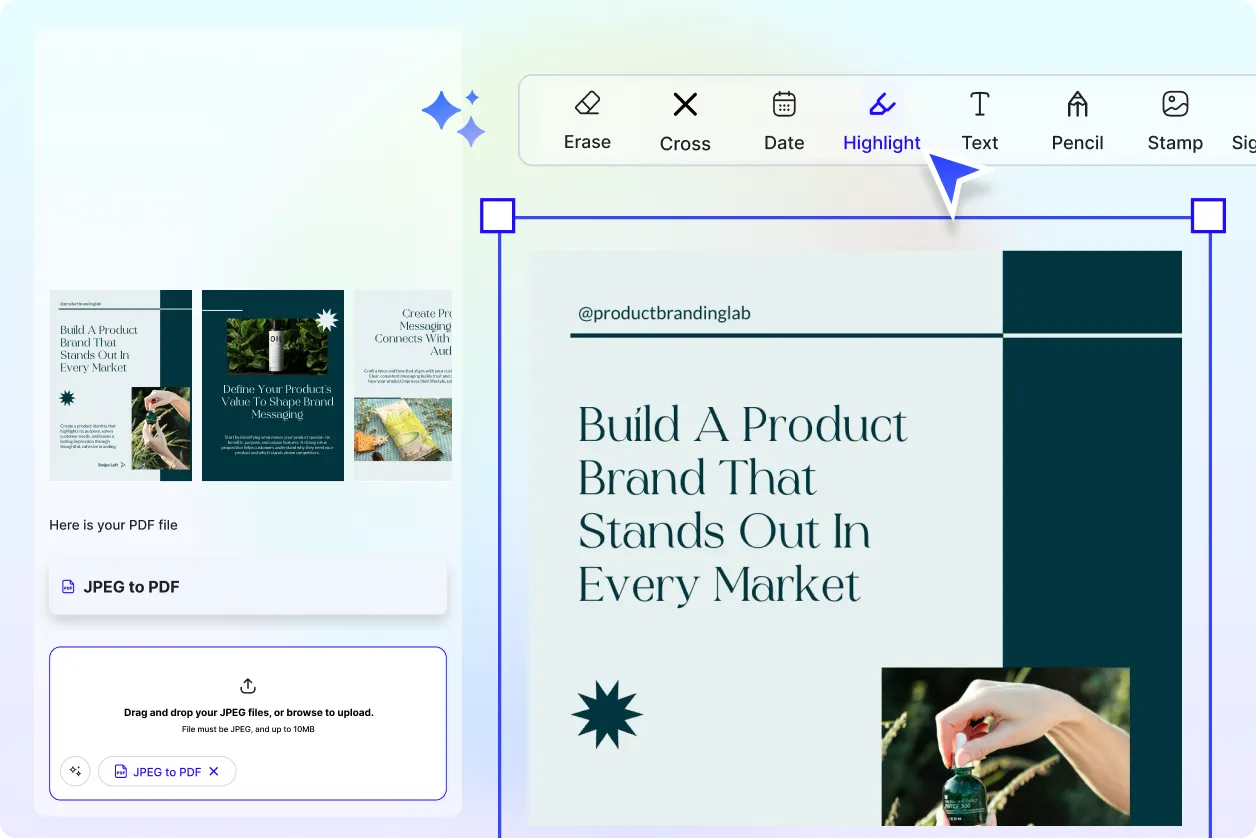
Add highlights, comments, sticky notes, or callouts to converted PDF pages for review and collaboration.

Smart Layout Detection
AI detects margins, orientation, and spacing to auto-align JPEGs into clean, professional PDF pages.

Page Reordering
Reorder converted PDF pages with drag-and-drop simplicity and instant layout updates.

Auto Resize and Fit
Resize JPEGs to fit standard PDF page dimensions without cropping or distortion.
Form Detection from Image
AI detects form fields inside JPEGs and converts them into fillable PDF forms for editing and signing.

Image Enhancement
Sharpen, brighten, or adjust JPEG quality before PDF conversion for improved clarity and readability.

File Attachment Support
Attach reference files to guide AI in formatting and organizing JPEGs into structured PDFs.

PDF Export Options
Download converted files in PDF, DOCX, or TXT formats for flexible editing and sharing.

Smart File Naming
AI auto-generates file names based on image content, date, or project type for organized output.

Real Time Collaboration
Collaborate with teammates while converting and editing JPEGs into PDFs with shared access and live updates.

Branding and Style Matching
Apply brand-specific fonts, headers, and layout styles to converted PDFs for consistent business presentation.

Add Charts and Tables
Insert structured tables or charts into converted PDFs based on extracted data or attached references.

Privacy-Safe Processing
AI ensures all JPEGs are processed securely without storing sensitive data, maintaining full privacy during conversion and editing.

Auto Caption & Labeling
AI generates captions or labels from image content and embeds them into the PDF for easier navigation and context.
Auto Orientation Correction
AI automatically detects and corrects rotated or skewed JPEGs, ensuring converted PDFs maintain proper alignment and professional readability across all pages.

Password Protection
Secure converted PDFs with password encryption, restricting unauthorized access and ensuring sensitive JPEG content remains private and protected.

Mobile-Friendly Conversion
Optimize JPEG-to-PDF conversions for mobile viewing, ensuring responsive layouts, easy scrolling, and clear readability on smartphones and tablets.
Color-to-Grayscale Conversion
Convert colorful JPEGs into grayscale PDFs for printing, archiving, or compliance while preserving clarity and essential details.
Watermark & Branding Tools
Add company logos, watermarks, or brand elements to converted PDFs for secure distribution and identity consistency.

Auto Page Numbering
AI automatically adds page numbers to converted PDFs, ensuring organized navigation and professional formatting for multi-page documents created from JPEGs.
How to Convert JPEGs to PDF Using AI Convert JPEG to PDF
Upload JPEGs, customize layout, and download polished PDFs in minutes. No prompts required—just fast, automated conversion with smart editing tools.
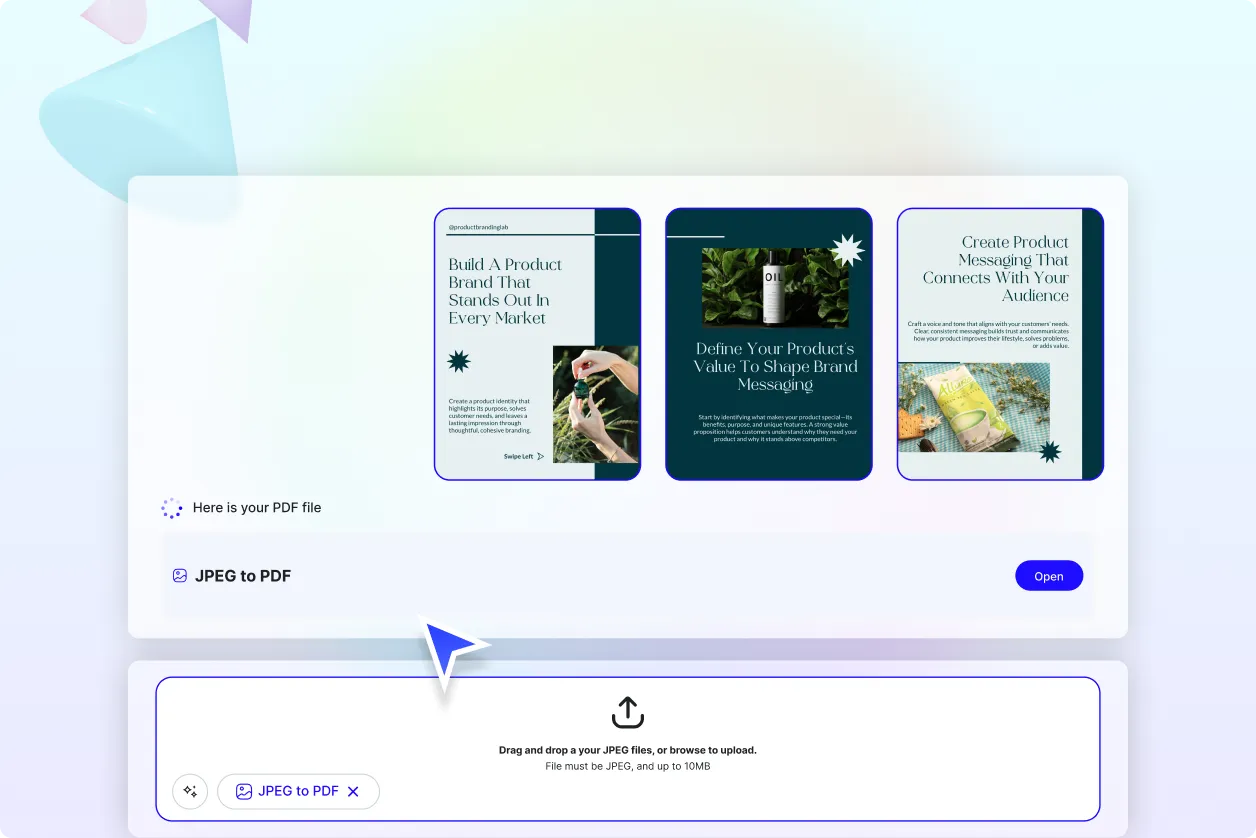
Step 1: Upload Your JPEGs
Select and upload one or multiple JPEG images from your device. The AI instantly prepares them for conversion into clean, structured PDF pages.
Step 2: Customize and Organize
Reorder pages, enhance image quality, adjust layout, or merge files. AI auto-aligns content and preserves formatting for professional results.
Step 3: Finalize and Export
Download your converted PDF in PDF, DOCX, or TXT formats. Share via email, live link, QR code, or social platforms instantly.
Work Smarter and Perfect Your Converted PDF Documents
Convert JPEGs That Represent You
Whether converting resumes, scanned reports, or business visuals, every JPEG becomes a clean, structured PDF with professional formatting and clarity.
Reuse, Repeat, and Scale Easily
Save your converted PDFs, image settings, and layout presets. Reuse across multiple projects to maintain consistency and speed up your workflow.
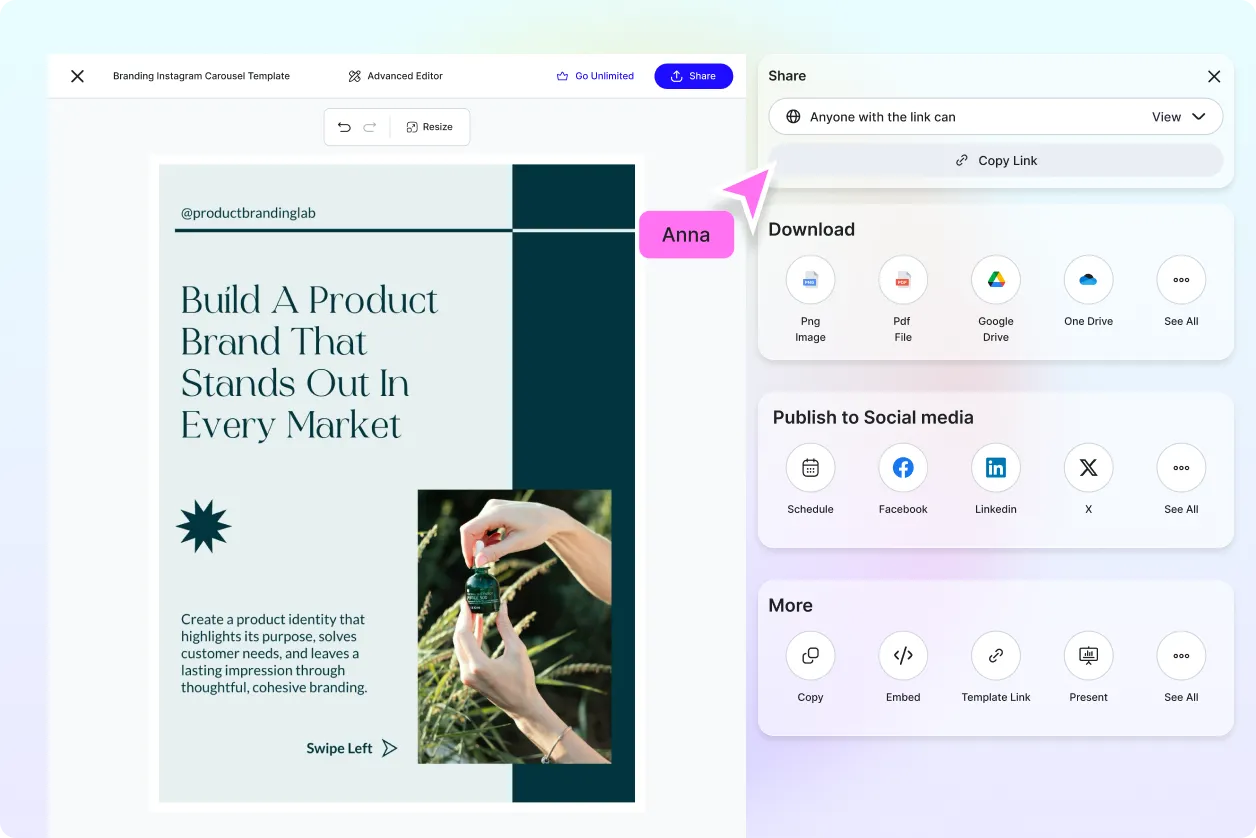
Share Instantly, Collaborate Smoothly
Download, export, or share converted PDFs instantly with teammates, clients, or partners using live links, QR codes, or social platforms.
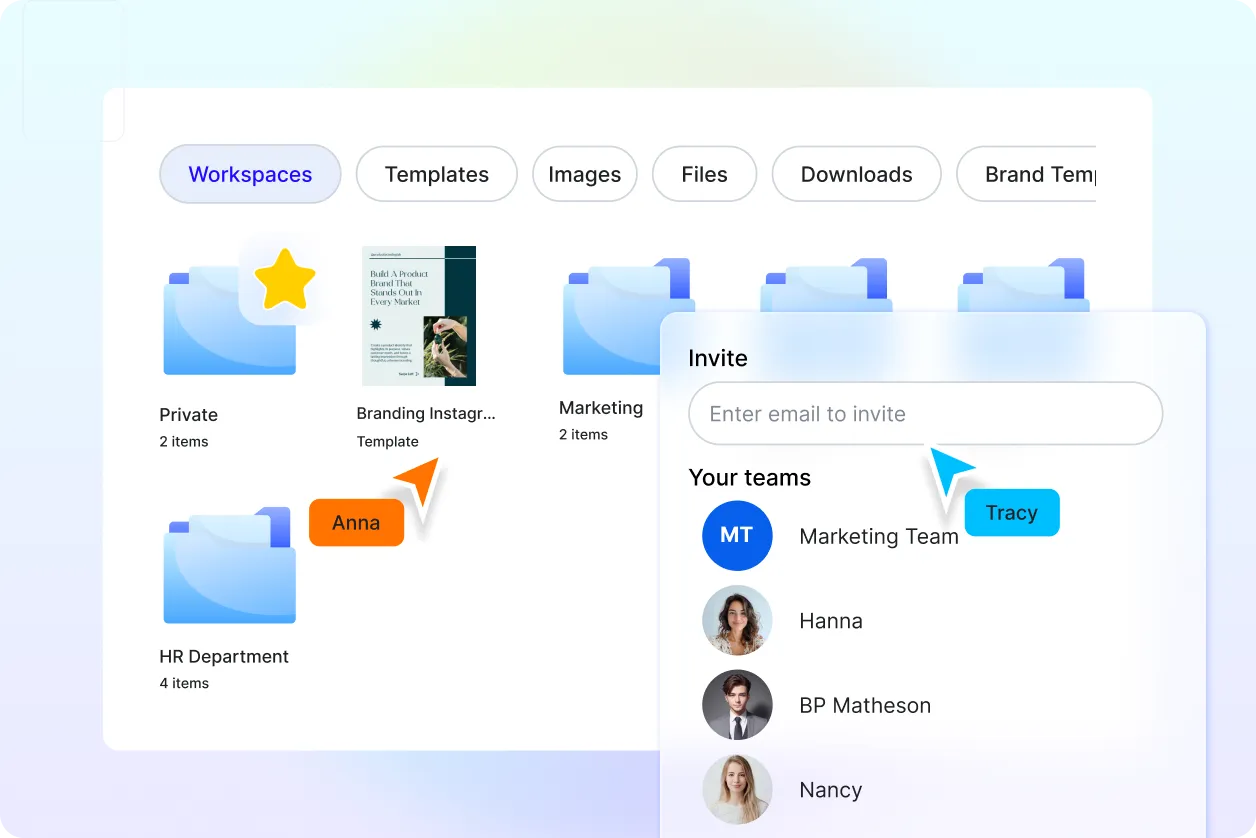
Smart Workspaces for Teams
Centralize JPEG-to-PDF projects with shared folders, version history, and permission controls—ideal for marketing, HR, legal, and design teams.
AI Convert JPEG to PDF Editor FAQ
What is AI Convert JPEG to PDF Editor?
It’s a smart tool that converts JPEG images into polished, editable PDFs instantly. No prompts required—just upload and let AI handle formatting.
What types of edits can I make?
You can reorder pages, enhance image quality, clean backgrounds, add annotations, and export PDFs in multiple formats.
Does the tool support voice input?
No. This tool is upload-based only. Simply drag and drop JPEGs—no text or voice prompts are needed.
Is it easy to use for beginners?
Yes. The interface is simple and intuitive. Upload your JPEGs and get a clean PDF in seconds—no technical skills required.
What file formats can I export in?
You can download your converted files in PDF, DOCX, or TXT formats. Individual pages can also be exported separately.
Is AI Convert JPEG to PDF Editor free?
Yes. All Template.net tools are free to use, including uploading, converting, editing, and downloading your final PDF.
Can I convert scanned documents or handwritten notes?
Yes. The tool supports scanned JPEGs and handwritten content. AI extracts text, cleans layout, and converts them into readable, editable PDFs.
